Curly Hair Scanner: How to Scan Your Hair in Curltine
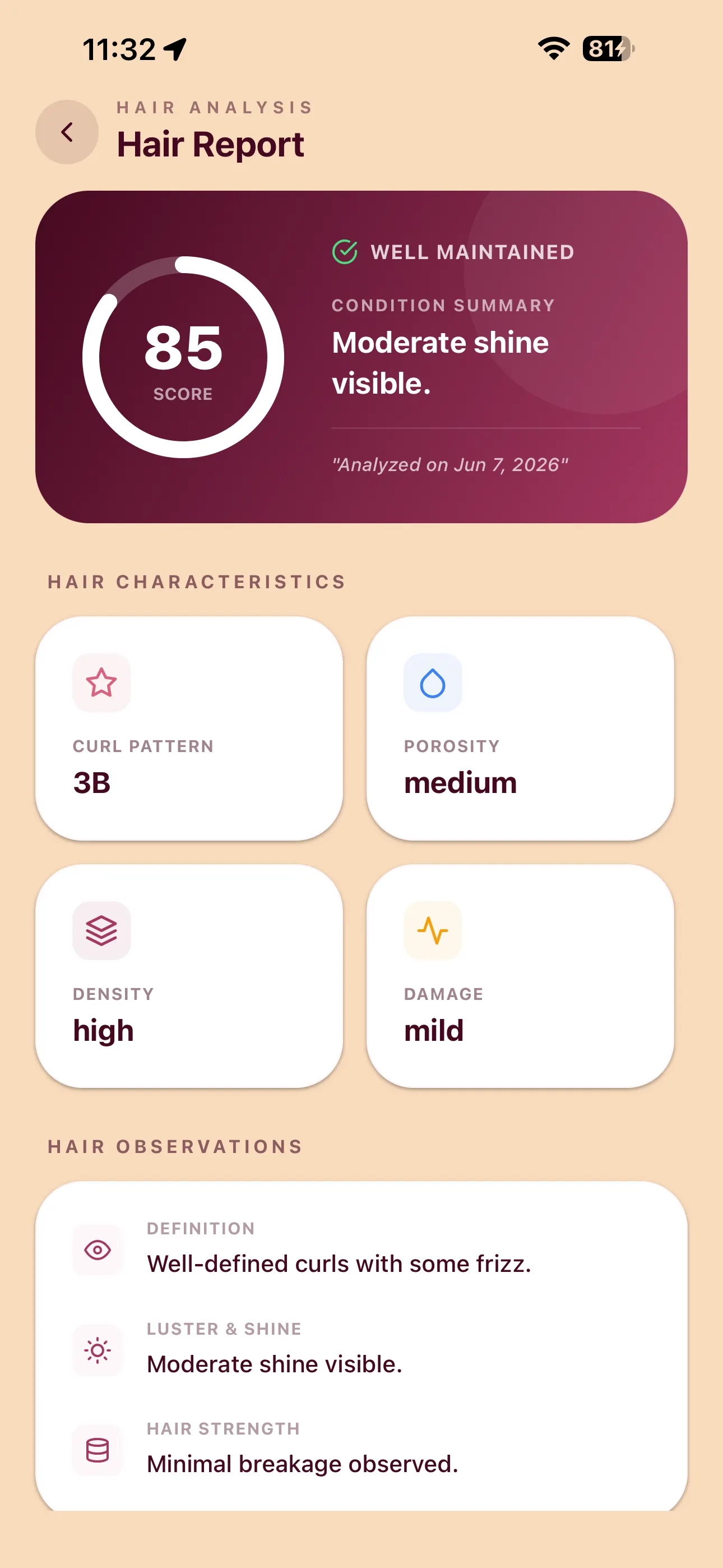
A curly hair scanner uses a photo to suggest a hair profile. Curltine’s store listing describes photo profiles, a hair score and routine guidance. The existing report screenshot below illustrates pattern, porosity, density and definition labels; it does not verify the current native flow or accuracy. This guide explains photo preparation and how to review estimates.
Looking for a product ingredient scanner?
This page covers photo-based hair profiles. If you want to check a bottle or ingredient list, use the ingredient checker guide. A hair photo and a product-label photo answer different questions.
What a photo result can and cannot establish
A photo can show visible pattern and styling, but an app suggestion is not a laboratory porosity measurement, counted follicle density, or a scalp diagnosis. Lighting, hair arrangement, and image quality can change the estimate. Use your observations alongside the result.
For output interpretation, read the analyzer results and limitations. For the app overview, visit Curltine. Follow the current in-app prompts; screens and access may change.
Quick facts
- Follow the current hair-scan prompts and check available access
- The existing screenshot shows suggested pattern, porosity, density and definition labels
- Best photos: even light, little stretch, hair fills the frame
- Record changes in styling and photo conditions when comparing results
- Pair with DIY checks: find curl type at home, hair porosity test
- Deeper tech-in-plain-English: how Curltine AI hair scan works
How to scan your hair in Curltine
- Open Curltine on your phone.
- Start a hair scan and follow the on-screen photo prompt.
- Review the suggested labels alongside your own observations.
- Check routine access before relying on a plan or scheduling repeat scans.
These steps summarize the source-supported workflow; the current native permission, upload, result and access transitions have not been exercised for this guide.
Check current access in the app before planning repeat scans. You do not need to memorize chart letters before you begin. If you still like quizzes for learning, keep a curl type quiz as a second opinion, not a replacement for the scan.
What you get from a scan
| Result | What it helps you do |
|---|---|
| Curl pattern read | Match hold style and expectations to waves, curls, or coils |
| Suggested porosity label | Compare with moisture-behavior observations; not a laboratory measurement |
| Suggested density label | A visual estimate; adjust amounts using your own experience |
| Definition observations | Compare similarly captured images; not a diagnosis of the cause |
| Store-described routine guidance | Review suggested steps and check which features are currently available |
Why these traits belong together: the 3 pillars of curly hair and what Curl Score measures.
A scan is a snapshot. Compare it with your own notes under similar conditions. Repeat scans may require paid access; they are not evidence that the app learns from your logs.
Tips for a good scan photo
- Light: Stand near a window or outdoors in shade. Avoid harsh overhead yellow light and heavy shadows on one side of your head.
- Distance: Fill the frame with hair and face/shoulder context so clumps are visible. Too far and pattern detail disappears.
- State of hair: For a baseline, prefer clean, dry or nearly dry hair without a thick cast of gel if you can. Record whether the hair is styled so later comparisons use similar conditions.
- Stretch: Do not brush straight or pull length tight when comparing visible shape.
- Mixed patterns: Observe the nape and sides if your crown looks different; additional scans may require paid access.
- Focus: Make sure strands are sharp, not motion-blurred.
Compare approaches in AI hair scan vs curl typing at home. For moisture-behavior observations beyond the photo, read the hair porosity test.
After the scan: make the result useful
- Choose one routine adjustment if the guidance is useful.
- Note frizz, soft vs crispy cast, and day-two shape.
- Read the product label and compare it with your own experience.
- Compare your notes under similar conditions; check current access before repeating a scan.
A comparison can help you record changes, but it does not isolate their cause.
Frequently asked questions
What is a curly hair scanner?
A photo-based tool that suggests a hair profile for routine decisions. Its outputs are estimates, not laboratory measurements.
How do I scan my curly hair in Curltine?
Open the app and follow its current hair-scan prompts, then review the suggested profile. Screens and feature access may change.
What do I get after a Curltine hair scan?
The store listing describes a curl profile, hair score, and routine guidance. Treat these as suggestions and check current in-app access.
What makes a good scan photo?
Use clear focus, even light, visible sections, and similar conditions for repeat comparisons. Follow the current in-app instructions.
Is a photo scan better than typing curls at home?
They provide different inputs: an image estimate and your own observations. No independent accuracy comparison was available, so neither is presented as confirmed superior.
Related guides
Curltine
Explore Curltine
See the app overview and check current features and access before downloading.
View Curltine